Family Dollar
- 3.7
- Rating
- 10.00M
- Installs
- Free
- Price

 Analysis by App-foxy
When I use a shopping app, I want it to answer a simple question quickly: can it make an ordinary store trip easier? Family Dollar is built around that practical purpose. Developed by Family Dollar Stores, this free shopping app puts the retailer’s name and shopping experience on my phone rather than trying to become a general marketplace. My overall view is that it is most useful as a companion for people who already shop at Family Dollar, while it is less compelling for someone looking for a broad comparison tool or a complete replacement for visiting the store.
The app belongs to the Shopping category and is suitable for Everyone. It has been available since June 5, 2017, and its current version is 8.1.17, with support for Android 7.0 and later. That combination matters because it makes the app accessible on many older Android phones, although owners of very old devices still need to check their system version before installing. The application has reached over 10 million installs and holds an average rating of 3.7 from around 40,000 ratings, with roughly 14,000 written reviews. Those figures suggest a widely used tool with a mixed but generally workable reputation rather than a universally polished experience.
How the Family Dollar app fits into a real shopping trip
My first impression is that this is not an app I would open for entertainment or casual browsing. Its value appears when I already have a reason to shop at Family Dollar. Instead of treating the phone as a separate shopping destination, I see it as a digital extension of the retailer: a place to prepare, check what is relevant to a visit, and make a small-value shopping trip feel more deliberate.
You May Also Like

 Blood Strike: 2.5 Anniversary
Blood Strike’s Loadouts Turn Every Drop Into a Tactical Gamble
A close look at Blood Strike’s custom loadouts: how fast access to signature weapons reshapes its battle royale rhythm, rewards preparation, and narrows the gap between fights.

 Pandora - Music & Podcasts
Pandora’s Music Is Easy to Start, but Harder to Recover
Pandora’s strength is its low-effort path from a seed to a station. Its weak spot is how much confidence it asks you to place in connection, setup, and quiet recovery.

 8 Ball Pool
 Is Built on Rivalries, Rematches, and Routine
A close look at the rivalries, rematches, shared routines, and unanswered safety questions that turn a quick pool match into a persistent mobile community.

 Samsung Music
’s Quiet Strength Is Playing What You Already Own
Its reach comes less from spectacle than from dependable access to a personal library. That simplicity is both the app’s strongest retention engine and its ceiling.

 AccuWeather: Weather Radar
AccuWeather Review: A Quick, Clear Forecast for Everyday Decisions
For everyday plans, the best forecast is the one you can understand quickly. AccuWeather makes rain timing, radar, and local conditions easy to act on, with a few trade-offs.

 Hill Climb Racing
Why Hill Climb Racing Still Turns Crashes Into One More Run
A tiny car, a bumpy hill and one more upgrade: Hill Climb Racing keeps resurfacing because its simple chaos makes every near-miss feel personal.
More From Our News Desk
View All News


That focus is a strength. Discount-store shopping often involves a short list rather than a carefully planned weekly supermarket order. I might need cleaning supplies, snacks, household basics, school items, or a few personal-care products. In that situation, a retailer-specific app can be more useful than a large marketplace filled with unrelated sellers and competing listings. The narrower purpose reduces the amount of searching I have to do, provided I am already committed to Family Dollar.
I also appreciate that the app is free. There is no purchase decision before I can try it, so the sensible approach is to install it, explore the parts that matter for my local shopping habits, and remove it if it does not save time. The free price makes it easier to use as an occasional planning tool rather than something that must justify a monthly cost.
Useful before leaving home
The best use case is preparation. Before heading out, I can use the app to think through my list and decide whether Family Dollar is likely to be the right stop. This is especially helpful when I am trying to combine several small errands into one trip. A phone-based check can prevent the familiar mistake of arriving at a store with only a vague idea of what I need, then leaving with extra items while still forgetting the important one.
For example, imagine I am preparing for a weekend gathering and need disposable plates, napkins, drinks, paper towels, and a few cleaning products. I would open the app while making the list, look for the relevant shopping information, and use that as a first filter before leaving home. If the app helps me confirm that the retailer is worth visiting, it has already done something useful even if I complete the purchase in person.
There is a subtle advantage here: the app encourages me to separate planning from browsing. I can decide what I actually need before entering the store, where low prices and seasonal displays can easily lead to impulse purchases. That does not make the application a budgeting system, but it can support a more disciplined routine when I use it alongside a handwritten or phone-based list.
Where it is stronger than a general marketplace
Compared with a broad shopping marketplace, Family Dollar has a clearer relationship with a particular retailer. A general marketplace is better when I want to compare brands, sellers, delivery options, and product specifications across many sources. It can also be more convenient for large planned orders. The Family Dollar app makes more sense when my goal is not to search the entire internet but to understand what a Family Dollar visit can offer.
That distinction is important for expectations. I would not choose this app when I need a specialized product, extensive technical information, or a wide range of premium brands. I would choose it for everyday, value-oriented errands where the store itself is the destination. The narrower catalog is therefore both the app’s identity and its main limitation.
Another practical trade-off is that a retailer app can be more relevant to local shopping than a generic product search, but only when the local experience lines up with what the phone shows. Store conditions can change, and a product that looks suitable during planning may not be available when I arrive. I treat the app as a guide for deciding where to start, not as a guarantee that every item will be waiting on a particular shelf.
The friction I would want shoppers to understand
The average rating of 3.7 tells me not to expect a flawless experience. My main concern with a retailer-specific app is dependence on the quality of the store information and the smoothness of the shopping flow. If I am using it to save a trip, even a small mismatch between what I expect and what I find in the store can reduce its value. The app may help me plan, but it cannot remove the uncertainty of a physical discount-store visit.
That means I would avoid building an urgent errand around one app screen alone. If I need a particular item for a same-day event, I would use Family Dollar as one source of guidance and keep a backup store in mind. This is not a criticism unique to one retailer; it is the trade-off of using a store companion instead of shopping from a warehouse with a tightly controlled delivery process. For routine items, the uncertainty is manageable. For a must-have item, it matters much more.
I also think the app’s focused nature can feel limiting after the first few visits. Once I know the nearby store and my usual shopping patterns, I may not need to open it for every trip. Someone who expects a full personal shopping assistant, detailed product research, or a highly personalized buying experience may find the application too modest. Its usefulness depends on whether the retailer’s information changes my decision or simply repeats what I already know.
There is a second kind of friction: the app is tied to one shopping destination. If I am comparing total cost across several retailers, I still need another method for that comparison. The application can help me evaluate Family Dollar on its own terms, but it is not a substitute for checking other stores when price, brand, availability, or convenience is the deciding factor.
Small habits that make it more worthwhile
I get more value from the app when I use it at the beginning of a shopping task rather than while standing in a checkout line. I would start with a short list, check the app for the retailer-specific information that could affect my route, and then decide whether the visit is worthwhile. This avoids turning the phone into a distraction inside the store.
A second useful habit is to treat the app as a planning checkpoint. I would ask myself three questions: is Family Dollar the closest sensible stop, is the trip likely to cover more than one item on my list, and do I have a backup plan if a particular product is unavailable? That simple process makes the app more valuable than aimless browsing because it connects the information to a concrete decision.
For repeated household shopping, I would also group errands by purpose. Instead of opening the app separately for every small need, I could review my upcoming week and prepare one combined Family Dollar visit. This is a non-obvious benefit of a retailer app: it can help reduce unnecessary trips when I use it as part of a routine. The savings are not only about money; they can also be about time and attention.
Finally, I would keep the app’s Android requirements in mind before recommending it to someone with an older phone. Support for Android 7.0 and later is reasonably broad, but compatibility is still a practical first check. The app is free, so there is little financial risk in trying it, yet an older device may provide a less comfortable experience than a newer phone.
Who should use it, and who should skip it
I would recommend Family Dollar to regular customers who want a retailer-specific way to prepare for everyday shopping. It is a good fit for households that make frequent small trips, people who prefer to check a store before leaving home, and shoppers who want a free tool connected to a familiar discount retailer. It can also suit users who do not need a complicated shopping platform and would rather deal with one relevant store than browse a huge online catalog.
The app is particularly sensible for someone who shops at Family Dollar often enough to recognize its value as a routine companion. If I already pass a Family Dollar location on my commute or use one for household basics, a quick pre-trip check can be worthwhile. The benefit grows when one visit covers several needs and shrinks when I only stop in occasionally.
I would skip it if my shopping is mainly about comparing multiple retailers, ordering specialized goods, or receiving a tightly managed delivery experience. A general marketplace is better for product breadth, while a supermarket-focused service may be better for a large grocery order. I would also hesitate to rely on it for an item that must be available immediately unless I am prepared to verify the situation another way.
People who dislike installing separate apps for individual stores may not see enough benefit here. The application’s purpose is narrow by design, and that is not automatically a weakness. It simply means the right question is not whether it replaces every other shopping tool, but whether it improves my relationship with this particular retailer.
What the ratings and longevity suggest
The app’s presence since 2017 and its large install base show that it has remained relevant to a substantial number of Family Dollar shoppers. At the same time, the 3.7 average indicates a middle-ground experience. I read that as a reason to approach it with practical expectations: useful enough to try, but not something I would assume will handle every shopping need perfectly.
The developer, Family Dollar Stores, is also a meaningful part of the experience. This is not an independent comparison app that happens to include the retailer. Its purpose is directly connected to the Family Dollar shopping journey, so its usefulness is strongest for people who want that connection. If I am already comfortable with the retailer, that direct focus feels natural. If I am undecided about where to shop, the app alone will not settle every question.
The Everyone content rating makes it suitable for a broad household audience. That does not change my advice about using it thoughtfully: adults may still want to guide younger users around purchasing decisions and account-related actions, as they would with any shopping application. The rating simply means the app is not aimed at a restricted age group.
My verdict after weighing convenience against limits
My final opinion is that Family Dollar is a practical, retailer-focused shopping app rather than an ambitious all-purpose marketplace. Its strongest quality is relevance: when I am planning a Family Dollar trip, the app gives me a reason to use my phone before I leave. The free price and broad Android compatibility make experimentation easy, and the large user base suggests it has become a familiar tool for many shoppers.
Its weakness is equally clear. The app cannot make a single-store shopping experience as broad or predictable as a major marketplace, and the middling rating warns me that convenience may depend on how well the digital information matches the physical visit. I would not use it as my only source for an urgent purchase or as a replacement for comparing retailers.
My recommendation is simple: install it if Family Dollar is already part of your regular routine, and judge it by whether it shortens or improves your next few shopping trips. For that audience, it can be a sensible planning aid. For everyone else, especially shoppers seeking extensive comparison and delivery options, another category of shopping app will probably be a better match. In my view, Family Dollar succeeds when it stays focused on the everyday errands it was made to support.
FAQs for Family Dollar
01What features does the Family Dollar app offer?
The Family Dollar app provides a range of features to enhance your shopping experience. Users can access digital coupons, browse weekly ads, and find store locations. Additionally, the app offers a shopping list feature to help you organize your purchases and maximize savings with exclusive app-only deals.
02Is the Family Dollar app free to download and use?
Yes, the Family Dollar app is completely free to download and use. There are no hidden fees or subscription charges. Simply download the app from the Google Play Store or Apple App Store, create an account, and start enjoying the benefits and features it offers.
03How do I redeem digital coupons using the Family Dollar app?
Redeeming digital coupons with the Family Dollar app is simple. First, ensure you are logged into your account. Browse the available coupons and select the ones you wish to use. At checkout, present your app barcode to the cashier, and the discounts will be applied automatically to your purchase.
04Can I find all Family Dollar store locations within the app?
Yes, the Family Dollar app includes a store locator feature. It allows you to search for nearby stores and provides directions for your convenience. You can filter results based on distance or specific services offered, ensuring you find the most suitable location for your shopping needs.
05What should I do if the Family Dollar app is not working properly?
If you encounter issues with the Family Dollar app, try troubleshooting by checking your internet connection, restarting the app, or updating it to the latest version. If problems persist, consider contacting Family Dollar’s customer support for further assistance. They can provide guidance and help resolve any technical difficulties.
Pros
- Easy to navigate user interface
- Quick access to weekly deals
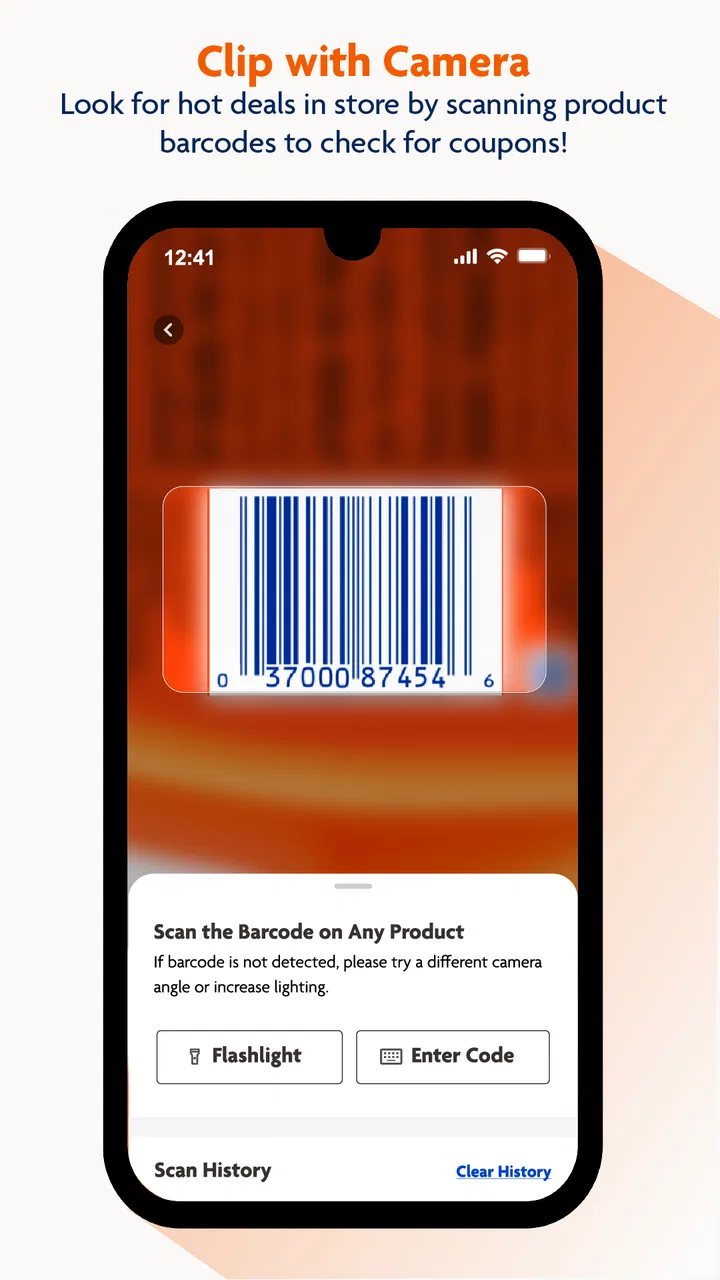
- Efficient barcode scanning feature
- Seamless integration with loyalty program
- Personalized shopping list creation
Cons
- Occasional app crashes reported
- Limited product availability updates
- Infrequent app updates and fixes
- No dark mode for battery saving
- Limited payment options in-app

Family Dollar
Gallery